About This App
- Name PlayX: Video Player All Format
- Category Video Players & Editors
- Price 0
- Safety 100% Safe
- Developer SolidDevsKit
- Version 3.10.0

Description
Download your favourite videos in one click and watch them offline anytime, anywhere. Enjoy smooth playback, HD quality, and full subtitle support without using the internet.
Offline HD 4k Video Player App
PlayX Video Player is your go-to media player for an immersive and seamless viewing experience. Enjoy watching your favourite videos in Ultra HD, 4K and 1080p, with advanced features to enhance your playback. Whether you love binge-watching movies, streaming tutorials, or playing music videos, this all-in-one HD video player all format ills designed to give you complete control over your media.
🚀 Key Features of Advance 4K Media Player & Video Downloader:
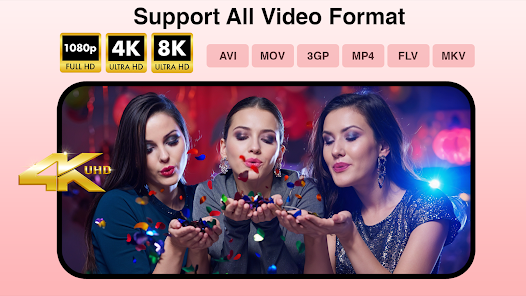
✔ Supports All Video Formats – Play MKV, MP4, AVI, MOV, FLV, 3GP, WMV and many more
✔ Floating Pop-Up Player – Watch videos in a resizable window while using other apps
✔ Background Playback – Listen to your videos even with the screen turned off
✔ Playback Speed Control – Adjust speed from 0.3x to 4x for slow-motion or fast viewing
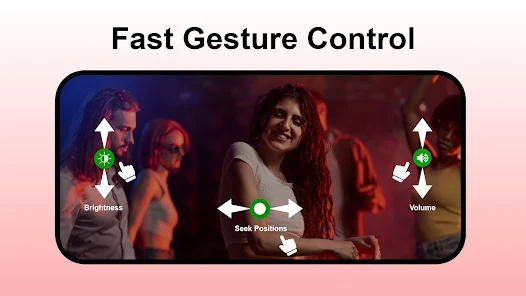
✔ Gesture Controls – Swipe to adjust brightness, volume, and seek forward/backward
✔ Auto Organize – Manage hd video files on your device and SD card
✔ Subtitle Support – Auto-sync subtitles and load external subtitle files
✔ Multi-Audio Track Support – Easily switch between different audio tracks within a video
✔ Night Mode & Eye Comfort – Reduce screen brightness for late-night watching
✔ Video Playlist & Favourites – Create and manage your own personalized video library
✔ 5-Band Equalizer with Bass Boost – Optimize your audio experience for every genre
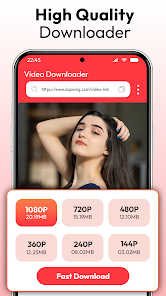
✔ Video Downloader – Download and save videos directly to your device with this media player
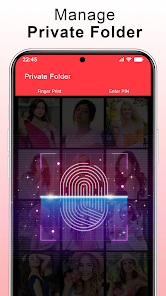
✔ Private Folder – Keep personal videos secure with password protection
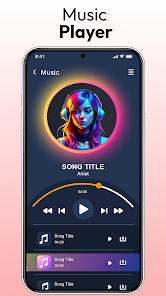
✔ Music Player – Play audio files with an integrated music player
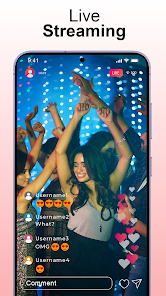
✔ Live Streaming – Watch live TV channels, online streams, and more
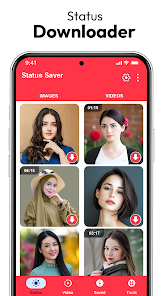
✔ Status Saver – Save and manage status videos and images
✔ Playlist Support – Organize and play videos & music in custom playlists
✔ Video Cutter – Trim and cut videos with precision to create perfect clips
✔ Video to MP3 Converter – Extract high-quality audio from video files and save them
✔ Storage Manager – Organize and manage all your media files efficiently
✔ Watch engaging shorts and reels
🎬4k Video Player for All Formats
Play all video formats like MKV, MP4, M4V, MOV, 3GP, FLV, WMV, RMVB, TS, MP3, MPG, etc. Enjoy uninterrupted viewing with support for 4k, 1080p, and MPEG formats. Enjoy a hassle-free media experience with support for subtitles, multiple audio tracks, and customizable playback settings.
💡Floating & Background Playback HD Video Player
With Popup Play, you can keep watching your favorite videos in a floating window while chatting, browsing, or using other apps. The resizable mini-player lets you move the video anywhere on your screen, ensuring uninterrupted entertainment.
🎥 Feature-Rich MP4 Player
Enjoy a smooth playback experience with our MP4 Player, packed with advanced features. Instantly skip forward or rewind by 10 seconds to navigate through your videos with ease. Customize your audio with a built-in equalizer for the perfect sound balance. For late-night watching, Night Mode dims the screen to protect your eyes and enhance your viewing comfort.
🚀 Lightweight & Fast HD Video Player All Format
Looking for a lightweight, fast, and feature-rich video player that supports all formats?
If yes, then PlayX Video Player all format is the perfect solution for smooth and hassle-free playback!
📧Dedicated Support
If You encounter any issues or have questions. Simply reach out to us via email at help.xenstudios@gmail.com.
Frequently asked questions
If you're an Android user and don't download the app from the official Google Play Store, you may find the installation process more complicated than usual.
We fully understand your concern about safety. We agree that one person wouldn't be too careful in the cyber world. Meanwhile, we are happy to tell you that one of our priorities is to provide our users with safe app files that they can use without any worries.
We guarantee that all the app files we provide originate from official and reliable sources. We promise that they do not contain any malware that will harm your hardware or the safety of your privacy.
We are happy to inform you that the answer is an absolute YES! All the apps on our website are 100% free to download. Besides, you do not have to create an account. Just click on the download button, and it's done.
Recently we received a lot of emails from our users saying they couldn't log in for different reasons, such as "forgot the user name or password" or "had a new phone." We are willing to help you out. Please read the notes below to see what we can do.
To answer this question, please first let us know which account you're referring to.
If you're referring to your account of some app, like your Facebook account or your Youtube account, unfortunately we would not be able to help in this case. We would suggest you turn to the customer service of this application.
This question is essentially quite similar to the prior one. It's a pity that we are unable to help you cancel the subscription to a third-party application directly, while we would suggest you contact its customer service for further information.
Sorry that we are unable to help you get a refund from a third-party application directly. If you wish to get a refund from a third-party app, we would suggest you contact its customer service. We would be happy to provide you the way to contact them.
If you want a refund from us, we should apologize for your confusion. Our service is 100% free, and any payment information is not required.
If you run into any site that asks you to provide your payment information, be careful. Remember never to reveal your payment information to any unauthorized third parties, no matter how tempting their offer may seem.
Sorry that we cannot answer this question directly, as this section only aims to answer some general questions. You may find how to use a certain app by checking our review page.